Component Cache
In use
An inventory app for an electronics workshop that treats storage like a memory hierarchy: cache, RAM and shopping list.
What it is
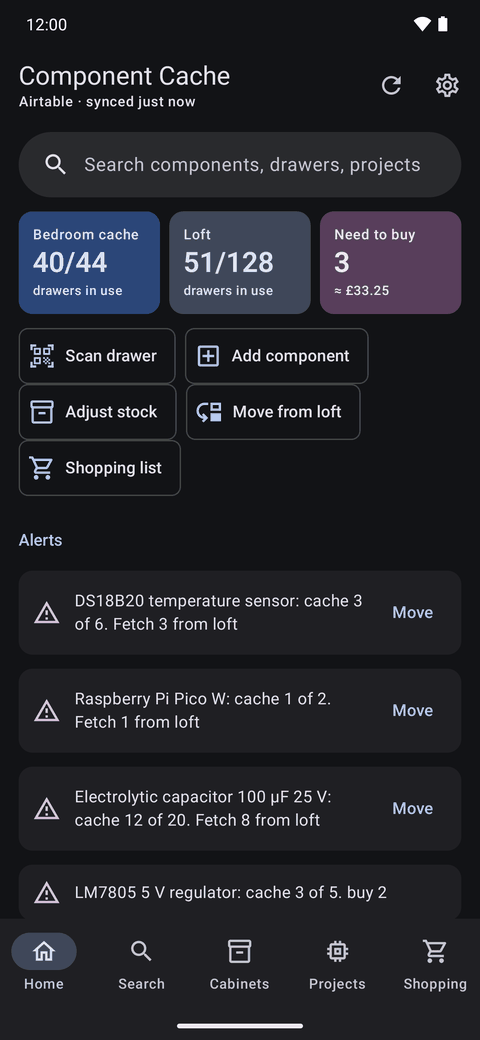
Component Cache keeps track of electronic parts across three drawer cabinets, 172 drawers in all, and it treats them like a computer's memory:
| Tier | What it is | Meaning |
|---|---|---|
| Cache | a 44-drawer cabinet for everyday parts | quick-access working stock |
| RAM | two 64-drawer cabinets | bulk stock that refills the cache |
| External storage | the shopping list | never counted as stock on hand |
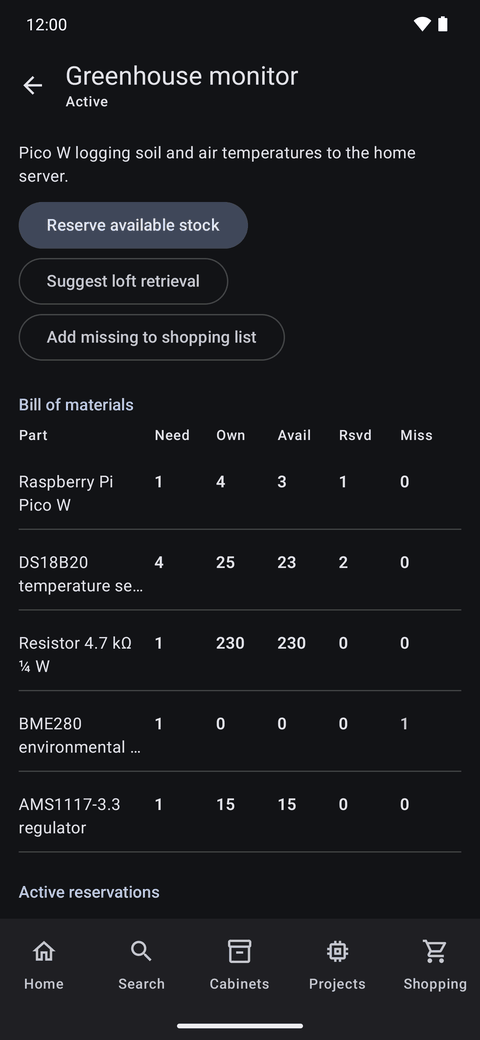
When the cache runs low on a part, the app suggests fetching it from bulk stock before suggesting a purchase. Projects have bills of materials. Reserving parts for a project lowers what's available without lowering what you own. Missing parts go to the shopping list in one tap.
The screenshots show example stock. The source code is not published.
What I built
- Kotlin and Jetpack Compose, Material 3, for Android 8.0 and later.
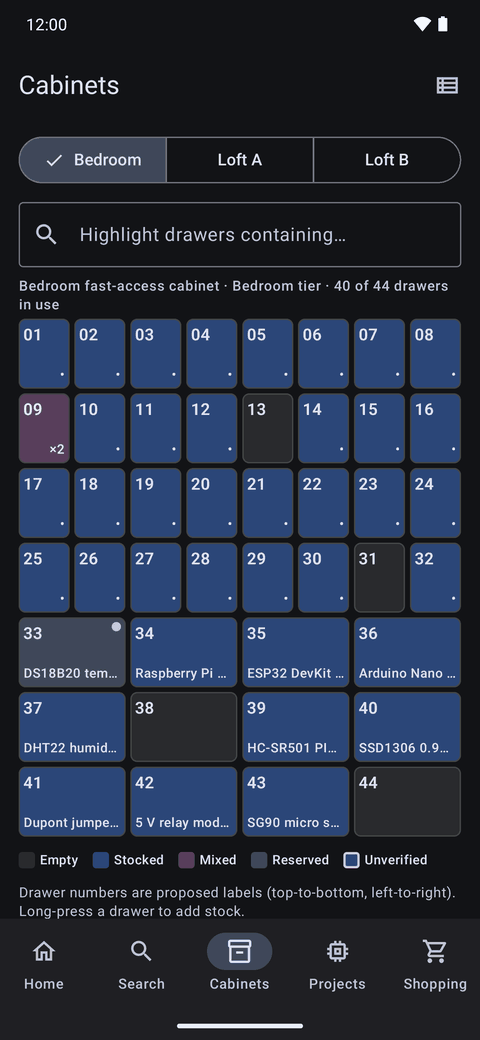
- Cabinets drawn as they really are. The 44-drawer cabinet has rows of single and double-width drawers, and the app draws it to match, so drawer 33 sits where it does on the real thing. Tap a drawer to open it, or highlight every drawer that holds a part. A list view is there as an accessible alternative.
- QR labels on the drawers. Scanning one opens that drawer in the app.
- The data lives in an Airtable base, reached only through a small authenticated backend (Python, FastAPI) that I host myself. The app signs in with Google, and the backend accepts only allow-listed accounts. The Airtable token never goes near the phone.
- Stock changes that can't apply twice. Every move, count or receipt carries an operation ID and is written to a movement ledger before the stock changes. Repeating an operation returns the stored result. An interrupted one is flagged for reconciliation rather than retried blindly. Stale quantities produce a conflict instead of overwriting someone else's change.
- Works offline for browsing, from a local copy. Writes need a connection.
- Tests: 48 unit tests for the stock rules and cabinet layouts, 7 UI tests on the emulator, and 12 backend tests against a fake Airtable. A contract test makes sure the app and backend agree on the data format.